Store info, logo and icon
Your store information appears on your page, in your orders and in the messages sent to your customers.
About 4 minutesRole with “Modifier les informations de la boutique” (Edit store information)Updated October 14, 2026Open Réglages › Boutique
General information
- Logo: “Changer le logo” (Change logo).
- Nom de la boutique (Store name): shown everywhere, including in your SMS.
- Adresse de page (Page address): votre-boutique.laghazel.com. Changing it changes your link: links you shared before will stop working.
- Préfixe des commandes (Order prefix): the start of your order numbers.
- Service client (Customer service): a phone number or a link where your customers can reach you.
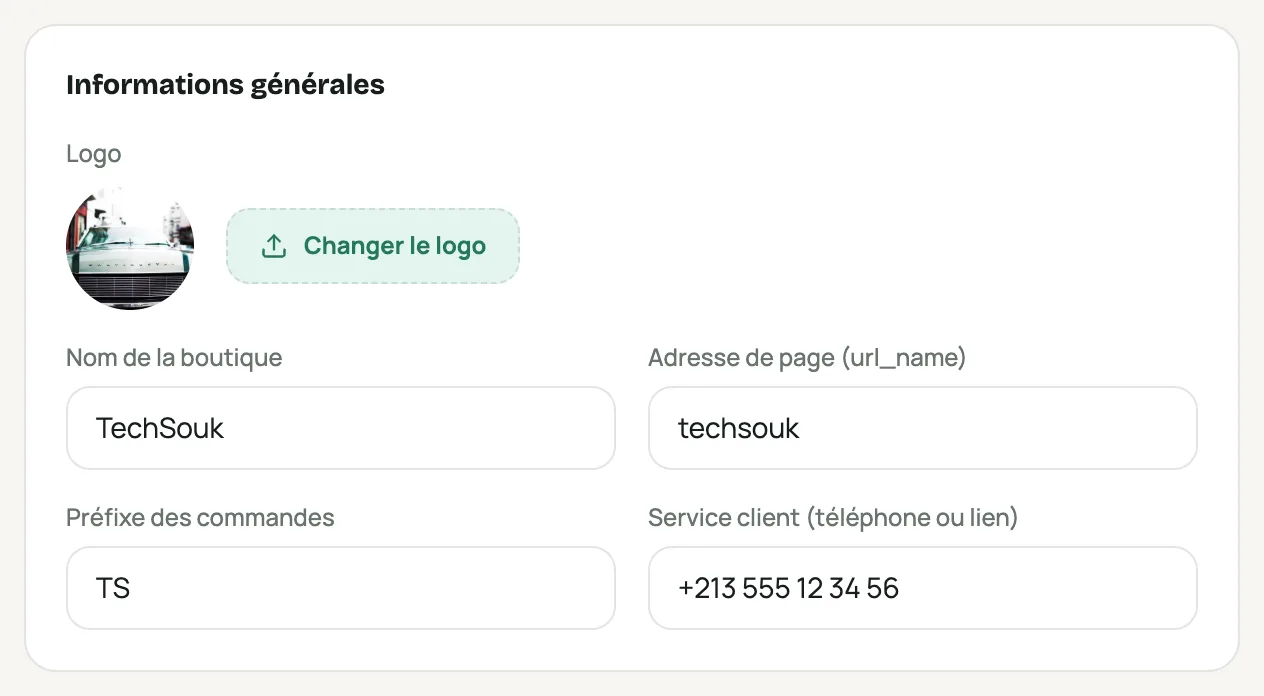
The “Informations générales” (General information) section of Réglages › Boutique (Settings › Store) Address and contact
“Adresse” (Address: wilaya, commune, full address) and “Contact” (email, landline, mobile, website).
Social networks
Your Facebook and Instagram pages: they appear on your store. Then Enregistrer les modifications (Save changes).
Store icon
The small image in the browser tab, in Google results on phones and on the home screen. Choose Depuis votre logo (From your logo, cropped to a square), Initiales (Initials: one or two letters on your color, sharp even when tiny) or Votre propre icône (Your own icon: a square image of at least 512 × 512 px), then Enregistrer l’icône (Save icon).
Google can take a few days to show the new icon in its results.
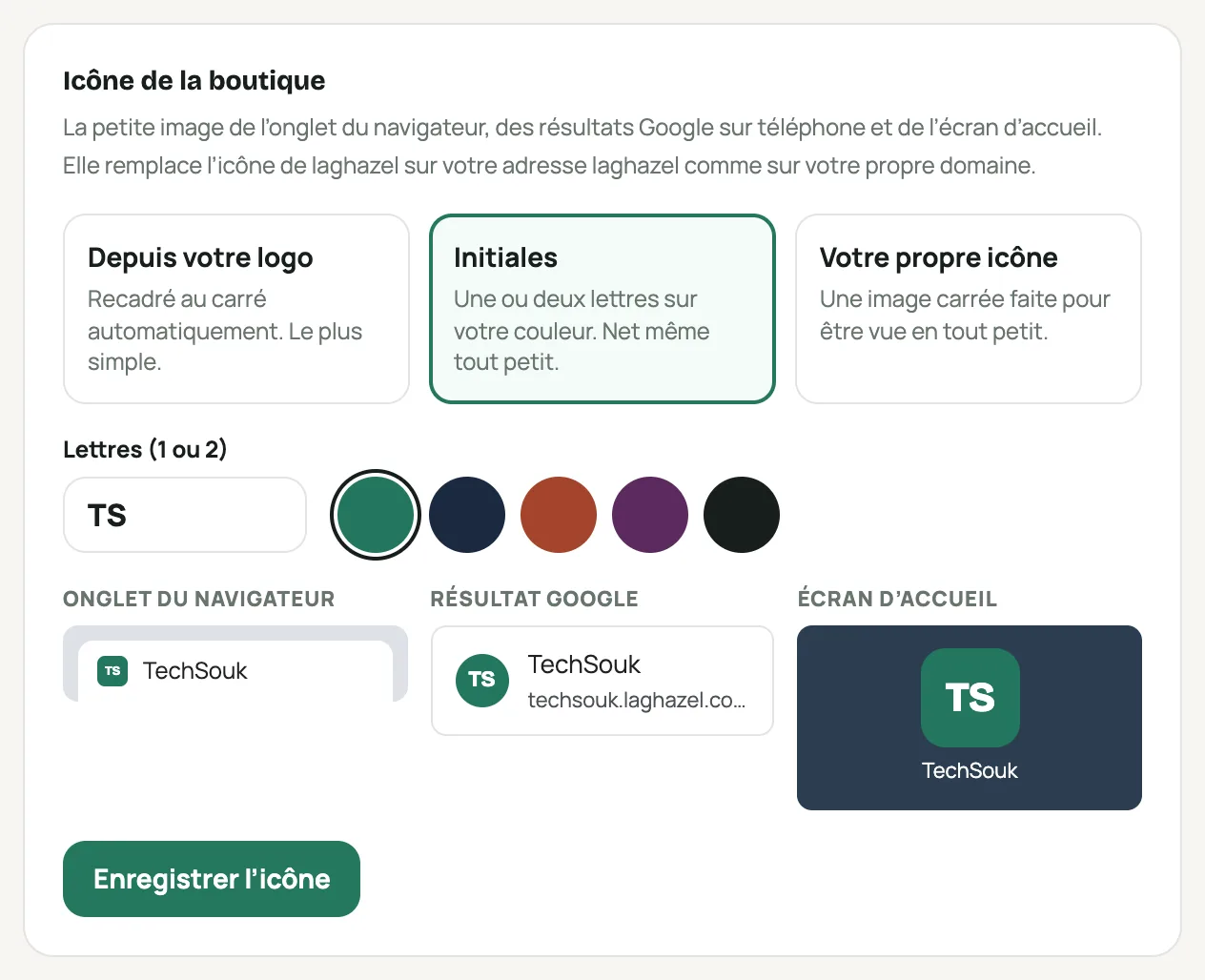
The store icon and its previews: browser tab, Google, home screen