Send SMS to your customers and let them confirm by link
With your own SMS account (Twilio, Vonage or Infobip), your customers get an SMS at the steps you choose. The first one contains a link: the customer confirms or cancels their order in one tap, no phone call needed.
Before you start
Connect your SMS account
In Intégrations › SMS (Integrations › SMS), section « 1. Fournisseur » (1. Provider), choose your provider and fill in your account fields, then click Vérifier et activer (Verify and activate). laghazel checks the account with the provider (without sending anything); you are asked for your password.
Secret fields are stored encrypted and are never shown again: only their last 4 characters stay visible. To change one, type the new value; leave it empty to keep the current one.
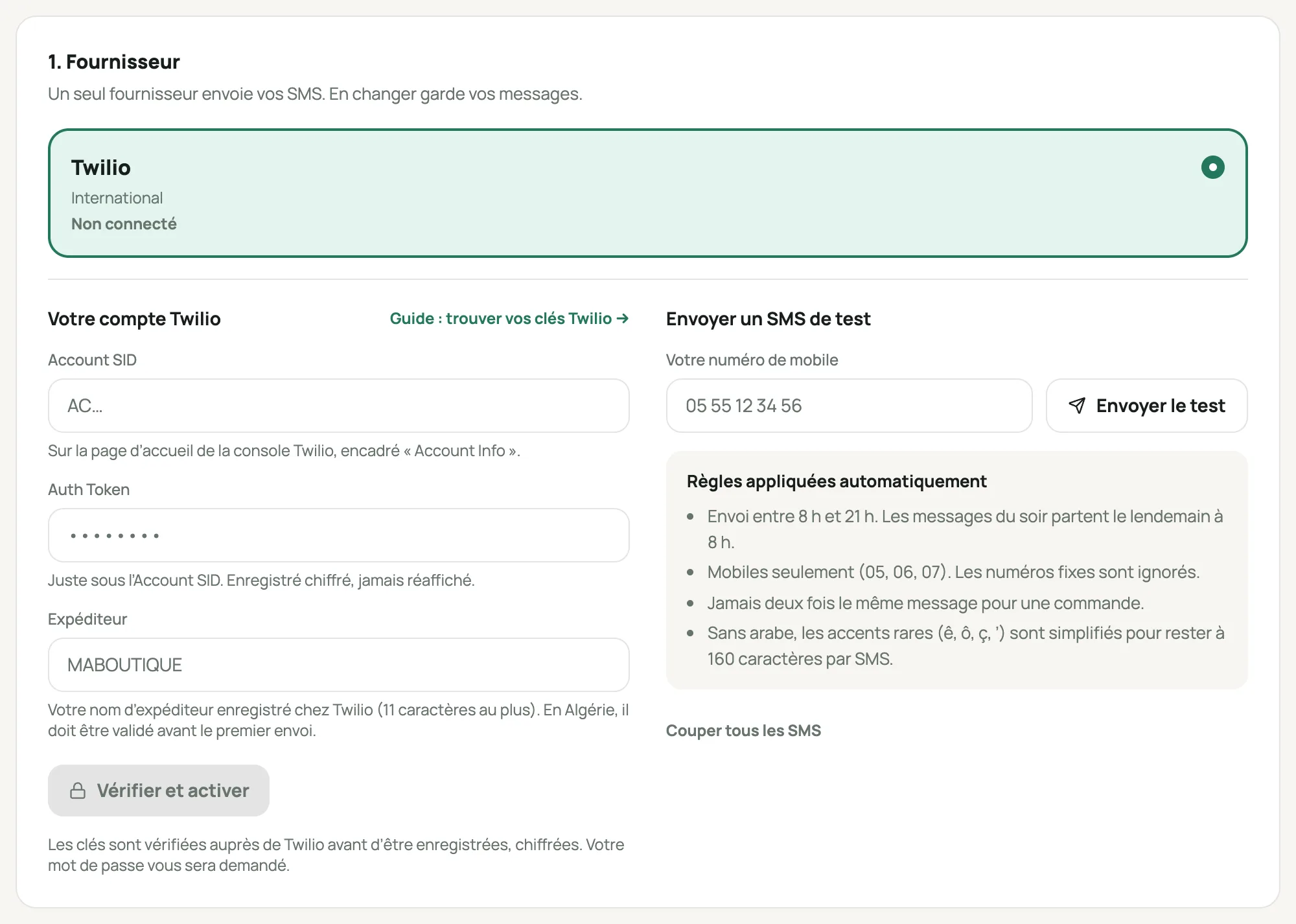
The « 1. Fournisseur » (1. Provider) section with the Twilio account form Send yourself a test SMS
Type your mobile number, then click Envoyer le test (Send the test). If it doesn’t arrive, the history at the bottom of the page tells you why.
Choose the steps that send a message
Section « 2. Étapes et messages » (2. Steps and messages): one switch per step. A message goes out when the order moves to that step.
Step Default What it’s for Commande reçue, avec lien de confirmation (Order received, with confirmation link) On The customer confirms or cancels in one tap. Confirmée (Confirmed) On Reassures the customer, with the exact total, delivery included. Pas de réponse après plusieurs appels (No answer after several calls) On With the confirmation link. Sent when the agent asks for it, after unanswered calls. Commande modifiée pendant l’appel (Order changed during the call) On The new total. Sent when the agent edits the order and ticks « Envoyer au client » (Send to customer). En préparation (Being prepared) Off Not very useful for the customer. Remise au transporteur (Handed to the carrier) On With the carrier and the tracking link. En livraison (Out for delivery) On The customer gets the money ready and picks up the phone: fewer refused parcels. Livrée (Delivered) Off A thank-you after delivery. Demande d’avis après la livraison (Review request after delivery) Off A private link to rate the order: the review shows with « Commande vérifiée » (Verified order). Variable {lien_avis}. Annulée par la boutique (Cancelled by the store) Off Never sent when the customer is the one who cancels. Retournée (Returned) Off Rarely useful. « Pas de réponse après plusieurs appels » is offered to the agent in the Confirmation panel after 3 unanswered calls, and « Commande modifiée » when they edit the order: these two go out when a person asks for it, if the step is turned on. « Formulaire abandonné » (Abandoned form) is coming later.
Write your messages
Modifier le message (Edit the message) opens the editor. Start from a template in French, Arabic or Darja, then edit it. The words in curly braces are replaced for each order:
Variable Replaced with {client}the customer’s first name {boutique}your store’s name {numero_commande}the order number {total}the amount to pay, delivery included (« environ … » (about …) while delivery is an estimate) {livraison}the delivery price alone {wilaya},{commune}the delivery location {transporteur},{numero_suivi}the carrier and its parcel number {lien_confirmation}the link to confirm or cancel {lien_suivi}the link to track the order An SMS holds 160 characters, but only 70 in Arabic: the same message can count as 2 or 3 SMS. The preview shows the number of SMS; each one is billed by your provider.
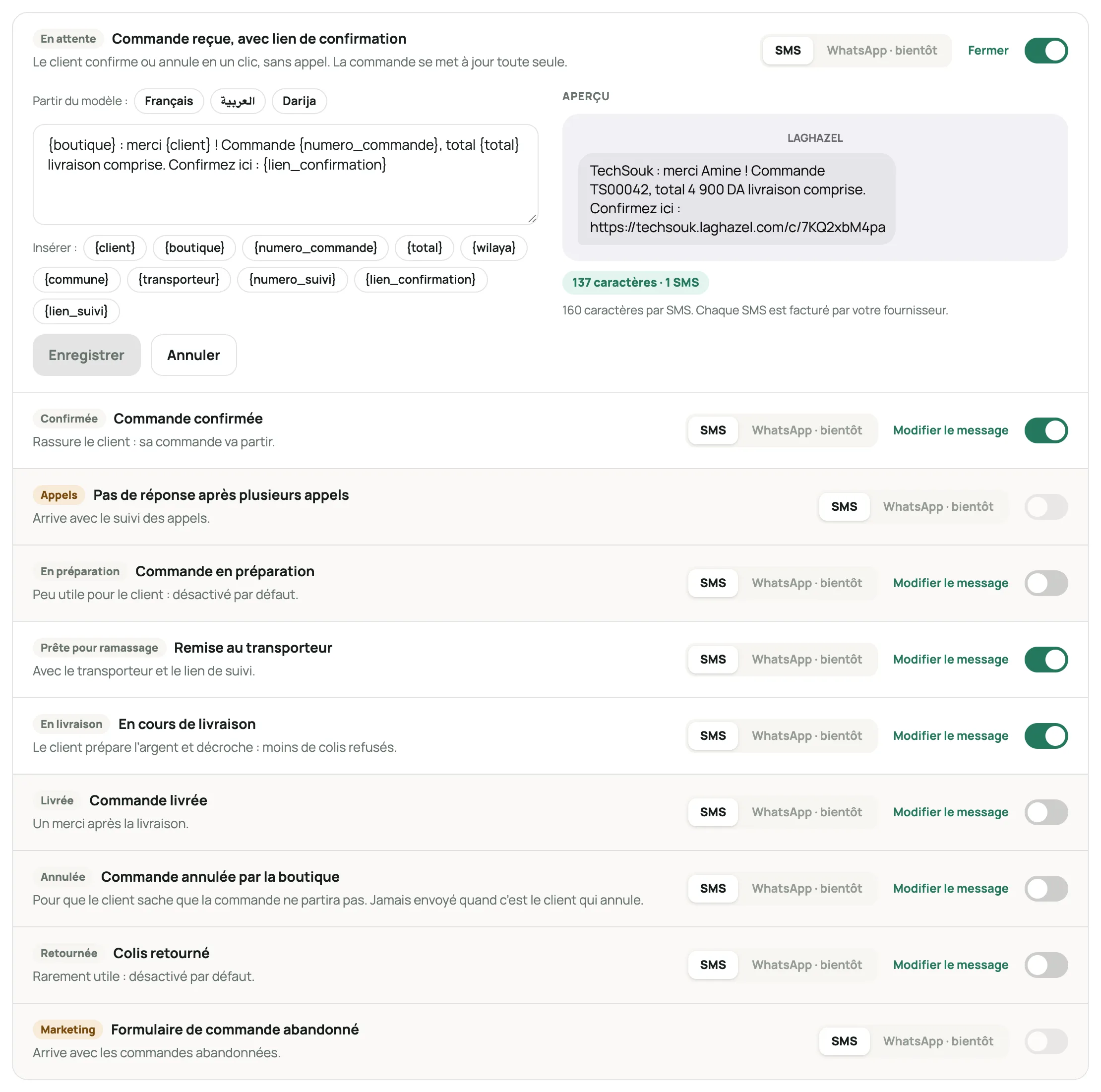
The steps and the editor for the « Commande reçue » (Order received) message, with the preview and the SMS count What the customer sees
The link opens a page of your store with the order: items, amount, address. The customer taps Oui, je confirme (Yes, I confirm) or Annuler la commande (Cancel the order).
A confirmation does the same thing as a confirmation by an agent: the parcel is created with your carrier. If that’s not possible right away (credit used up, carrier unavailable), the customer’s answer is still noted on the order: you just need to confirm it.
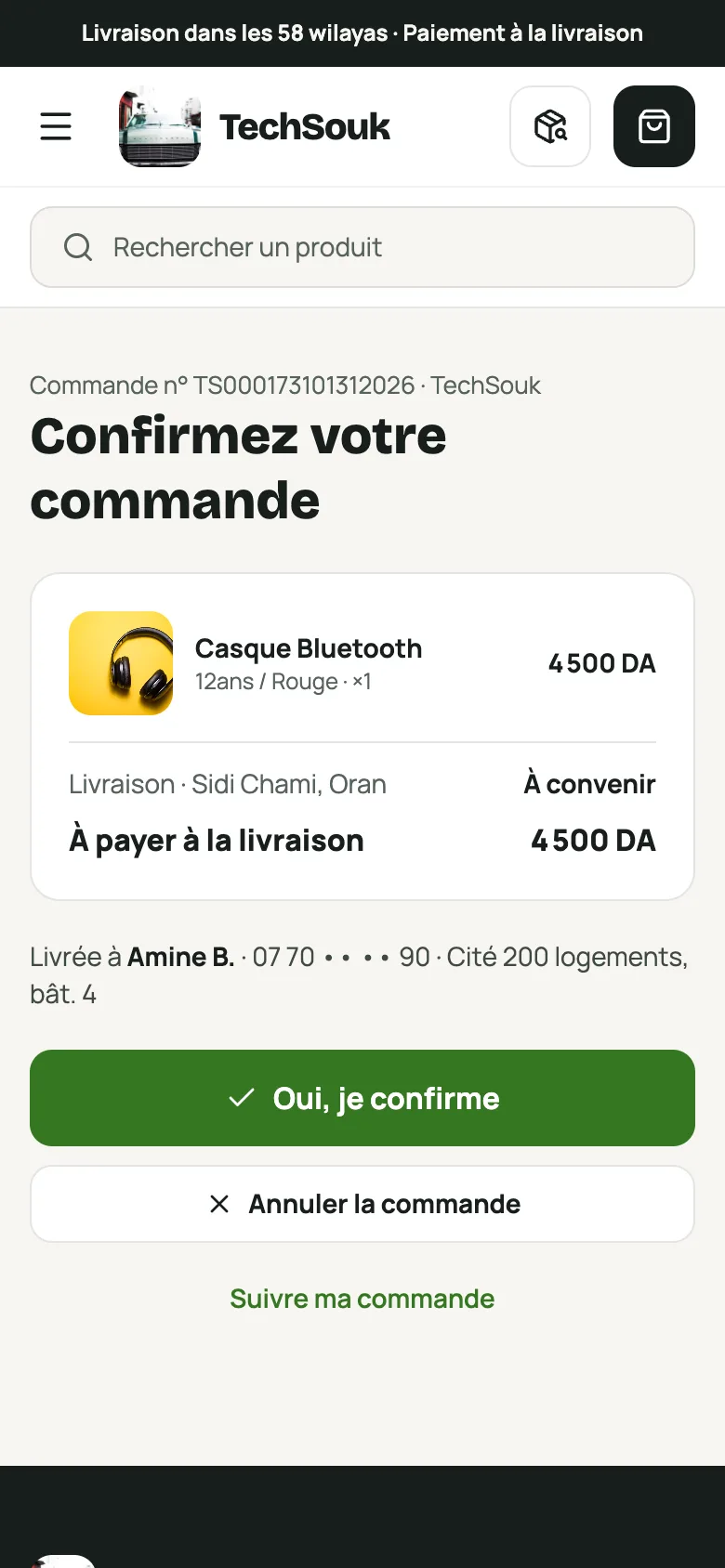
The « Confirmez votre commande » (Confirm your order) page on a phone Follow what was sent
On each order, the Messages au client (Messages to the customer) block shows the SMS sent, whether the link was opened, and the customer’s answer. The « 3. Derniers envois » (3. Latest messages) section of the SMS page lists every message with its status.
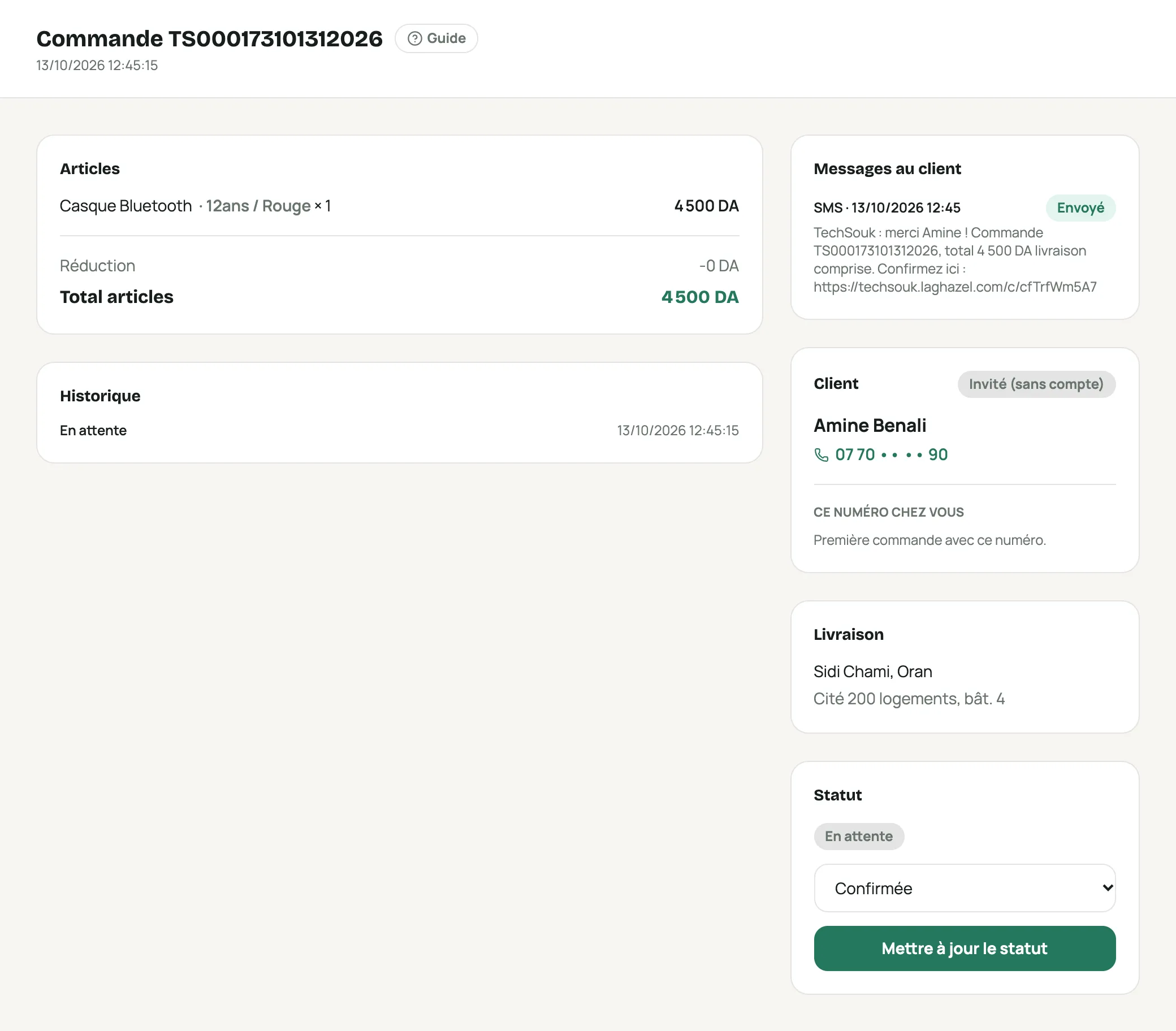
An order with the « Messages au client » block and the SMS sent
Frequently asked questions
What time do the SMS go out?
Between 8 am and 9 pm, Algeria time. An order placed in the evening gets its SMS the next day at 8 am. If the order has moved to another step in the meantime (confirmed by phone, for example), the SMS that is no longer useful is not sent.
Can the customer reply to the SMS?
No: in Algeria, SMS sent by a business can’t receive replies. That’s why confirmation happens through the link.
Why do some accents disappear?
When there’s no Arabic in the message, rare accents (ê, ô, ç, ’) are simplified so the SMS stays at 160 characters. é, è, à and ù are kept.
An SMS says « Non envoyé » (Not sent)
The history gives the reason: SMS turned off or provider changed before sending, order moved to another step, or a wait of more than 24 hours.
Can I change provider?
Yes, at any time: connect the new account and it replaces the old one. Your messages are kept.