Invite your team and choose their roles
Each person has their own account and a role that decides what they can do. You can suspend or remove access at any time.
Add a person
In Équipe (Team), « Membres » (Members) tab, click Ajouter une personne (Add a person). For someone new: a username and, if possible, their email. For someone who already has a laghazel account: « Compte existant » (Existing account).
Choose their Rôle (Role), then click Inviter (Invite). You get an activation link to send them (copy or WhatsApp); it is also sent by email if you gave one.
The « N / 4 membres » counter includes pending invitations. Limit reached? Remove someone to invite a new person.
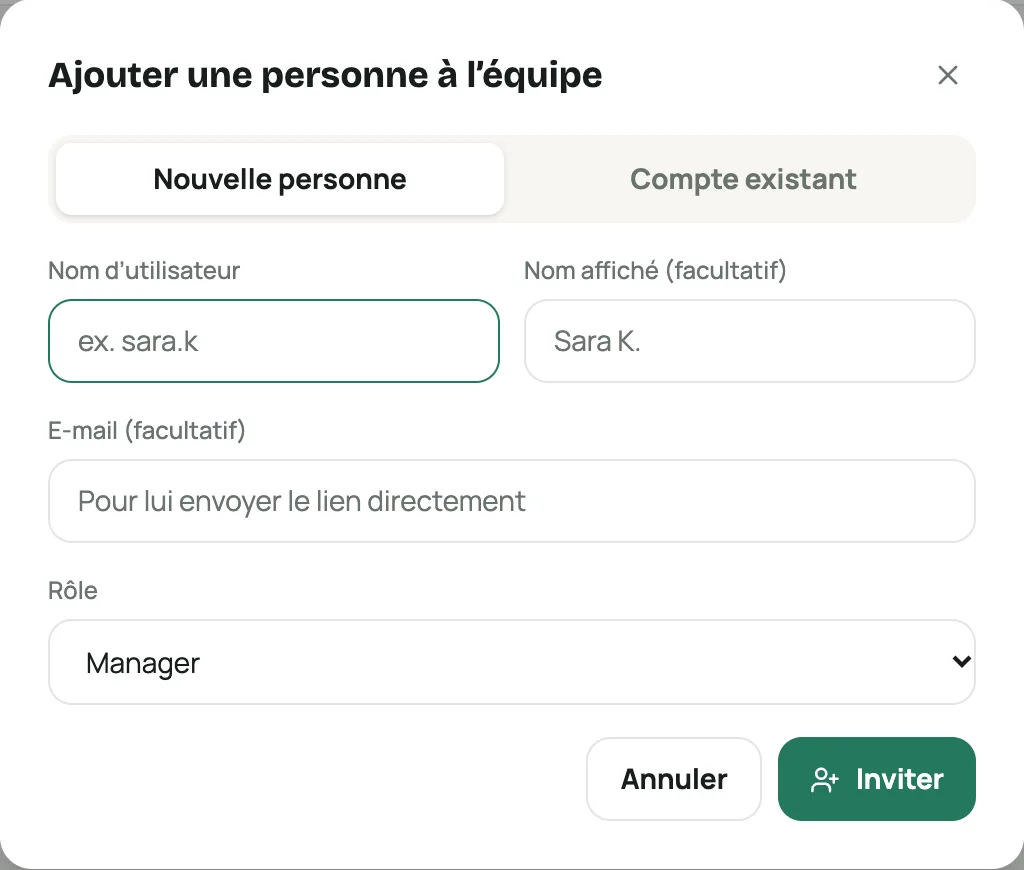
The « Ajouter une personne à l’équipe » (Add a person to the team) window Choose the right role
« Rôles » (Roles) tab: edit these roles or create your own with Nouveau rôle (New role).
Role What it allows Admin Everything, including keys (delivery, payment, AI, SMS) and the team. Locked role. Manager Everything except roles and the keys that commit the store’s money. Agent commandes (Order agent) View, confirm and cancel orders, view customers and the catalog. Éditeur catalogue (Catalog editor) The catalog and the store page. Comptable (Accountant) The balance and orders, read-only. Giving the Admin role asks for your password. The store must always keep at least one active Admin.
Manage access
- Nouveau lien (New link): resends an expired invitation.
- Lien de mot de passe (Password link): for a member who forgot theirs (valid for 24 hours).
- Suspendre / Réactiver (Suspend / Reactivate): cuts access without removing the person.
- Retirer (Remove): their access to the store stops immediately.