Videos, offers, flash sales and reviews
Four tools to help your customers make up their minds, all set from the product page or the catalogue. What the store shows is always true: prices are calculated by laghazel at checkout, and ratings come from real reviews.
Add a video to the product
On the product page, in the Vidéo (Video) card: paste the link to a YouTube or TikTok video (the full link, tiktok.com/@compte/video/…), then click Ajouter (Add).
If laghazel has turned it on for your store, Envoyer une vidéo depuis l’appareil (Upload a video from the device) also accepts a file (MP4, MOV, WebM), within the size, length and number limits shown under the button.
The video is added to the photos on the product page, and the product card gets a “Video” badge.
A short vertical video shot on a phone is enough: the product in hand, working.
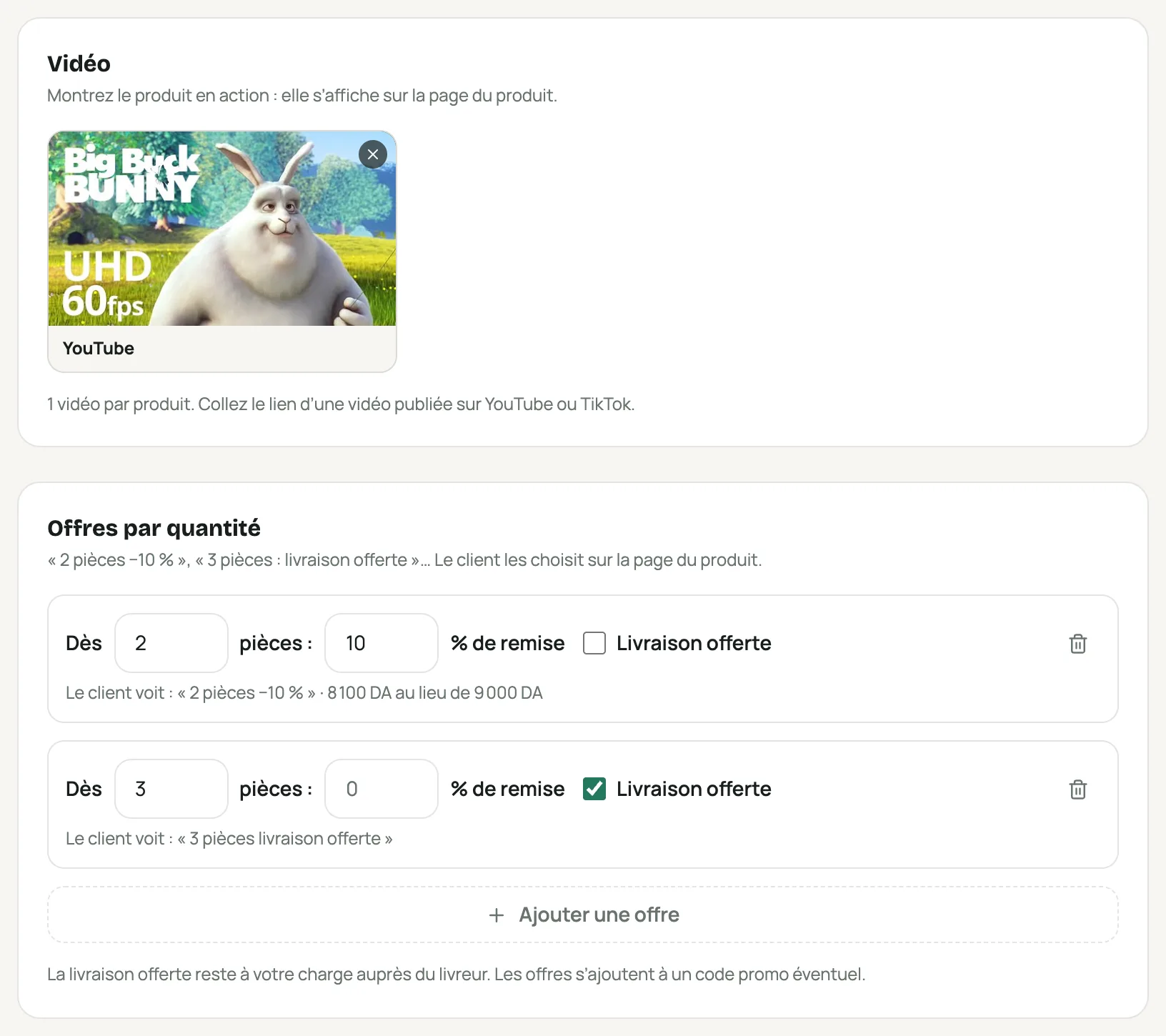
The « Vidéo » and « Offres par quantité » cards on the product page Offer quantity deals
Offres par quantité (Quantity offers) card › Ajouter une offre (Add an offer): from how many pieces, and what it gives: a percentage discount, free delivery, or both. Three offers at most.
On the product page, the customer picks “1 piece”, “2 pieces −10%”… The discount is applied to the order, whatever size or colour is chosen.
Free delivery is still paid by you to the delivery company.
Run a flash sale
Set a Prix promo (Sale price), then open Vente flash (dates de la promo) (Flash sale, promo dates) and choose the Fin (End) (and a start if needed). The sale price only applies between those dates.
The store shows “Ends in…” under the price; with the Bazar template, a countdown is added at the top of every page. When it ends, the normal price comes back on its own.
Publish your customers’ reviews
Catalogue › Avis clients (Catalogue › Customer reviews) › Ajouter un avis reçu (Add a received review): when a customer writes to you on WhatsApp or Messenger, attach a screenshot of their message, their rating and their first name. The review shows with “Message received” and the screenshot.
For verified reviews, turn on Demande d’avis après la livraison (Review request after delivery) in Intégrations › SMS (Integrations › SMS): the customer gets a private link once their order is delivered. Their review shows with “Verified order”.
Add the Avis clients (Customer reviews) section to your page: the average rating comes from your published reviews, nothing else.
You can hide a customer’s review, but not edit it: their words stay their own.
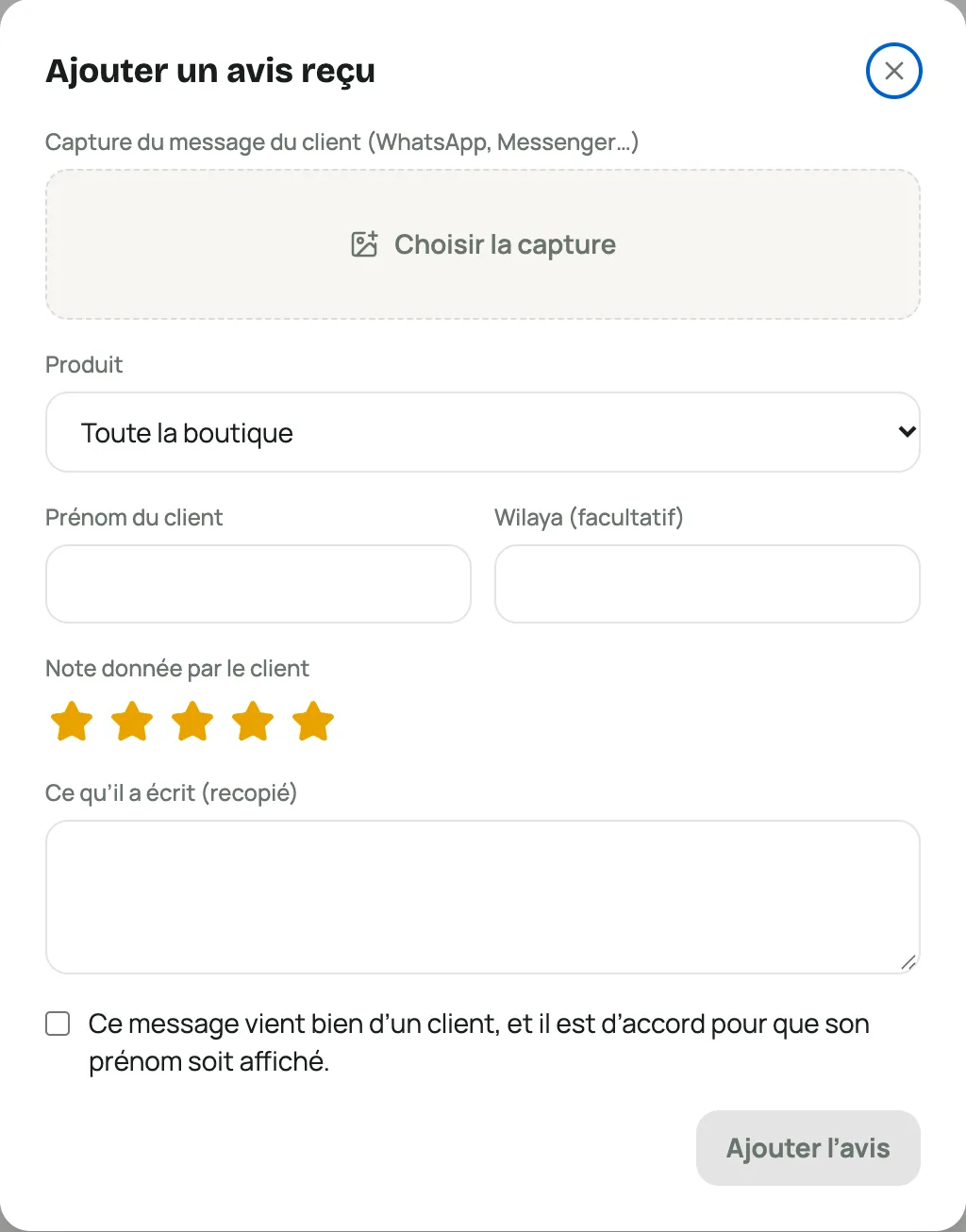
The « Ajouter un avis reçu » window with the message screenshot, the rating and the first name
Frequently asked questions
Why can’t I upload a video file?
File uploads are turned on store by store by laghazel (they cost storage). YouTube and TikTok links work for everyone.
Do an offer and a promo code add up?
Yes: the quantity offer and the promo code are both deducted from the order.
The « Les plus commandés » (Most ordered) section is empty
It appears once 3 different products have been ordered in the last 30 days. Only the ranking is shown, never your sales figures.