Show up in Google and polish your shared links
Everything is filled in automatically from your store and your products. Only change what you want to improve.
Visible in Google
The Visible dans Google (Visible in Google) switch submits your store and its products to Google (after Enregistrer, Save).
A store with no products stays hidden automatically, so an empty page is never shown.
Store home page
The Google and WhatsApp / Facebook previews update as you type.
- Titre (Title): 70 characters max; past 60, Google may cut it off.
- Description: 200 characters max; ideally under 155. If left empty, the “À propos” (About) text of your store page is used.
- Image de partage (Share image): the image shown when you share your link on WhatsApp or Facebook. Recommended size: 1200 × 630.
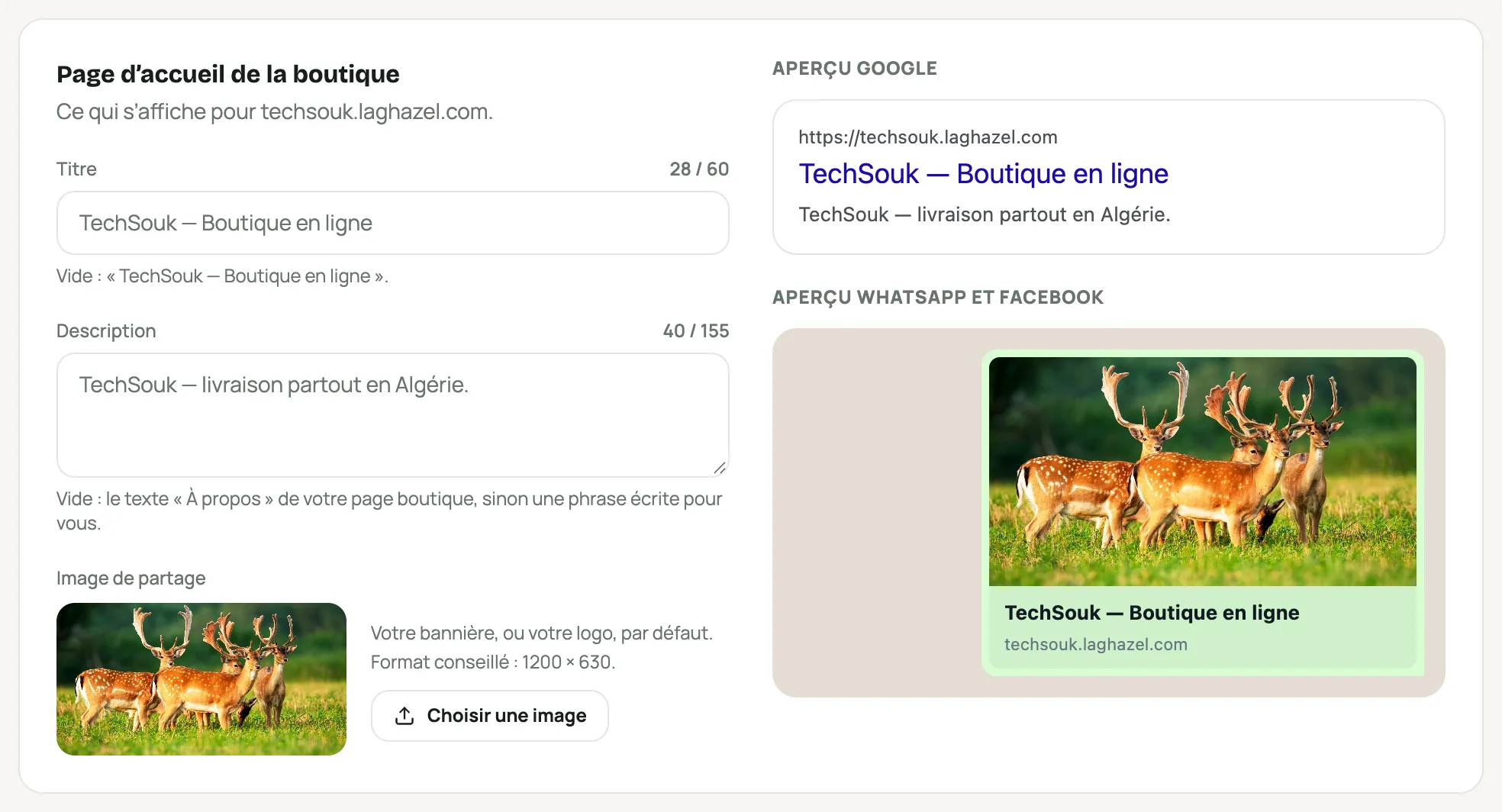
The title, description and share image, with the Google and WhatsApp previews Each product
On a product’s page, in the “Aperçu Google et partage” (Google preview and sharing) section: Titre dans Google (Title in Google) and Description dans Google (Description in Google), filled in automatically if left empty. The product’s address is built from its name; old links keep working.
Frequently asked questions
How long before I show up in Google?
A few days to a few weeks. To follow your searches, add the sitemap address (shown under “Pour aller plus loin”, Going further) in Google Search Console.